
Templates
Rental Tracker & Invoice Generator | Google Sheets Template for Small Rental Businesses
About this templates
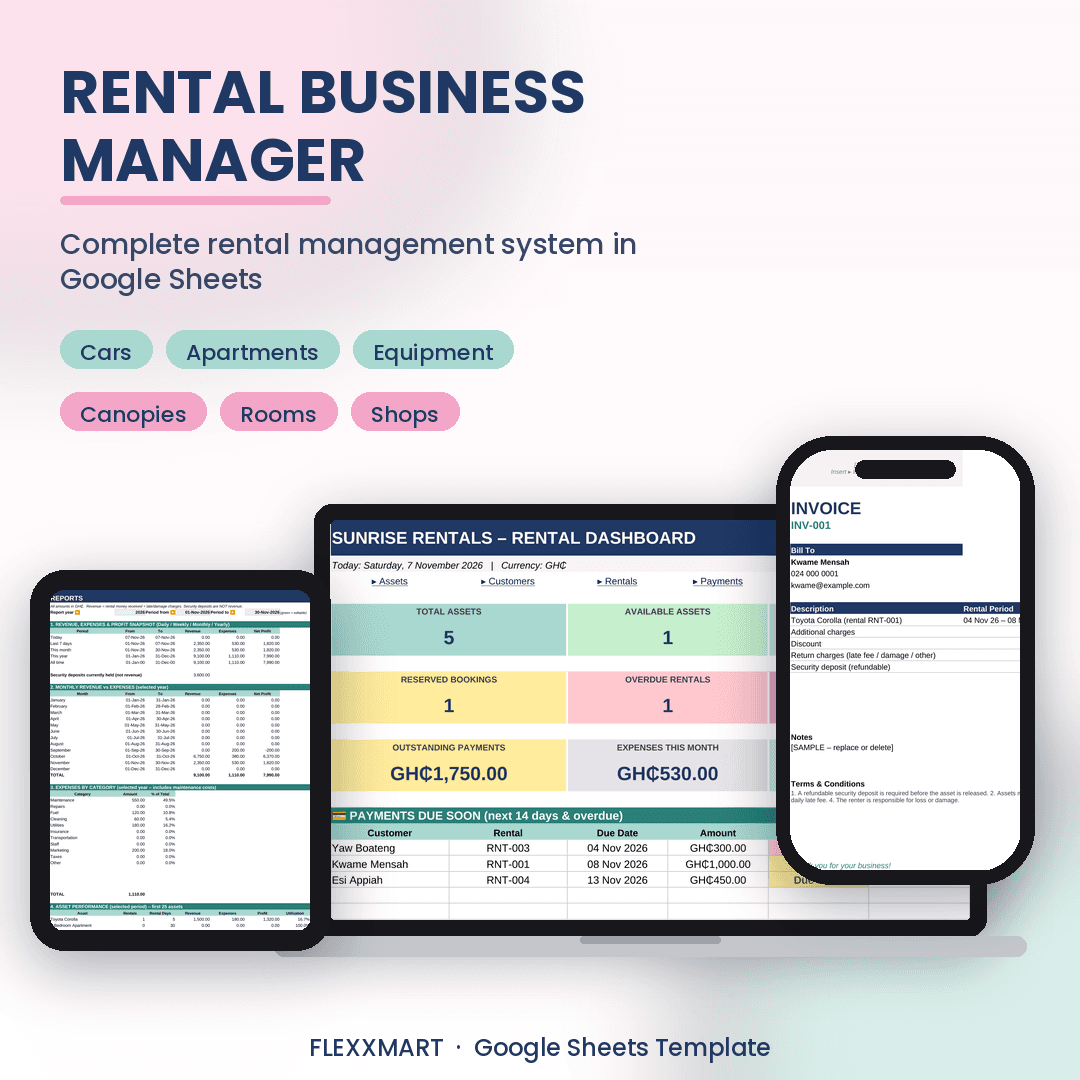
If you rent things out, you probably know this feeling.A customer calls and asks if the car is free on Saturday. You flip through a notebook or scroll through old chats, and you're still not sure. Someone says they paid, but you can't find it. A deposit is sitting somewhere and you're not certain how much you owe back. At the end of the month, you've been busy all month, but you can't say what you actually made.Rental Business Manager puts all of it in one Google Sheet that makes sense on the first day.What it helps you do✔ See what's available, rented, reserved or overdue, all on one dashboard✔ Get a warning when an asset is double-booked, or under maintenance✔ Record payments, including part-payments, and see who still owes you✔ Create invoices and payment receipts that fill themselves in, ready to print or save as PDF✔ Track security deposits separately, with late fees and damage charges taken out automatically✔ Log expenses and maintenance so you see your real profit✔ See which assets earn the most, with rented days and utilizationWorks for any kind of rentalHouses, apartments, rooms, shops, offices, cars, motorbikes, canopies, chairs and tables, generators, cameras, projectors, tools and machinery.Made for people who aren't spreadsheet experts• Green cells are where you type, blue cells are dropdowns, and grey cells calculate themselves • Formulas are protected, so you can't accidentally break them • A Start Here page and a step-by-step guide walk you through it • Sample data is included so you can see how it works, and you can clear it when you're ready • Default currency is GH₵, and you can change the symbol in SettingsWhat's insideDashboard · Assets · Customers · Rentals · Payments · Invoices · Invoice Generator · Receipt Generator · Returns & Deposits · Expenses · Maintenance · Reports · Settings · User GuideHow it works1. Buy and download the file 2. Upload it to Google Drive and open it with Google Sheets (or make a copy of the link) 3. Add your business details, assets and customers 4. Record your first rental, and the dashboard fills itself inGood to know• Each sheet holds up to 400 records • It's a template, not an app, so you'll need a free Google account • Optional: an Apps Script file adds PDF export buttons. Printing and saving as PDF also work through the normal Google Sheets menu without it.Questions before you buy? Send me a message. I'm happy to help.
Customer Reviews
Loading reviews...